labautomationlanguagestools
IAHR
Personal Telegram automation grown into a command framework.- Python
- Telethon
- Telegram API
- Command framework
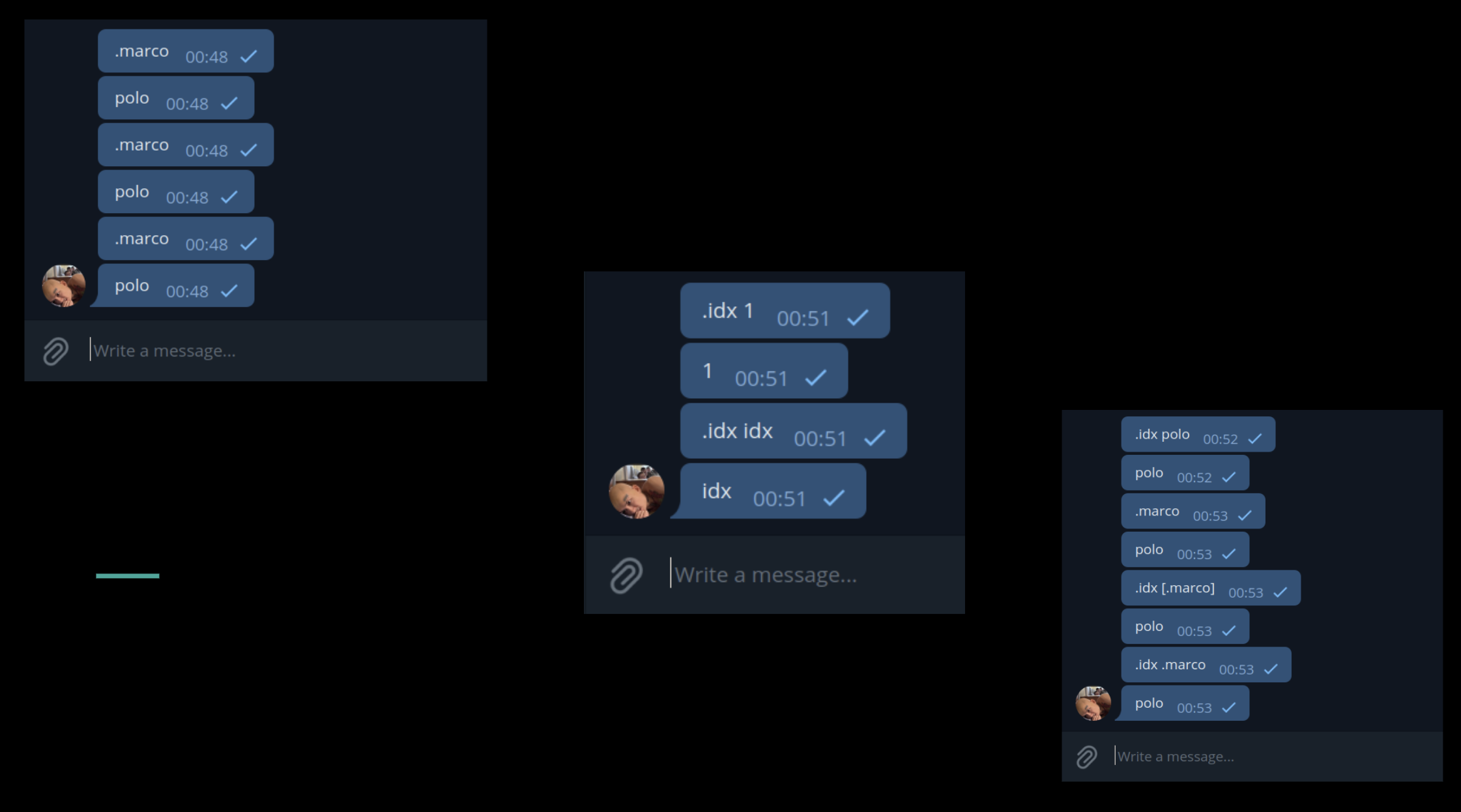
IAHR turns any Telegram chat into a REPL. You call a command with the . operator and the
app answers from under your own account, in the chat you are already in.
Routines, and how they compose
A routine is a Python function with metadata attached, reachable from Telegram. There are two kinds of routines:
- Commands are text-based and called by name.
- Handlers are reactions to events — a message being edited, or someone changing their profile picture.
Commands can compose: .lower .upper word runs both and gives back word, because the result of
one becomes the argument of the next inside a single message. Text is only the simple case.
Any data format can pass between routines, as long as they are compatible. A routine can declare that it returns several values.
Registration happens through a decorator that carries everything the framework needs: what to call it in chat, the description shown by help, whether it wants the raw event, which event it answers, and the tags it can be found under.
Senders decide the shape of the reply
Three senders are included out of the box:
VoidSenderfor a routine that returns nothing.TextSenderfor a string.MediaSenderfor a file-like object.
Senders can be extended; for example, a sender can be written as a function. MediaSender itself is
about four lines around create_sender. It can be created as a class when it needs state, which is how the
audio commands are built. For anything stranger, the manager, register and config can be wired
by hand instead of through the packaged entry point.
Access control lives in the chat
Permissions work the way Linux permissions do, and they can even be edited inside the REPL through permission commands — no need to reload the config.
.allowusr, .banchat, .allowedusr and their siblings take a routine and an entity,
so a user or a chat can be granted or refused a single command.
A $ wildcard reads the entity from context: the user you are replying to, or the chat you
are writing in. Whole categories move at once — .banusr commands $ applies to every command. One can create a tag for a group of related commands to ban or allow them all together.
Anything you run yourself as the account owner bypasses these checks.
There is a control for the noise this creates. When banned users trigger commands, .errignore
silences the complaints for one chat or all of them, and .errverbose turns them back on when
clarity becomes worth the spam.
What comes built in
.help and .synhelp cover getting started and the syntax rules. .acceshelp walks through the
permission commands, which need it — the interface composes an action, an entity type and a
target. .commands, .handlers and .tags list what is registered, filtered by event type or
tag.
Some ready-made routines come with batteries included: tag every participant in a chat, open a file in Google Docs, Sheets or Slides, and crop, reverse or distort an audio track. Further extension is very easy.
Configuring it
The .env file is about paths and credentials; if you are interested in runtime behaviour,
you should look in config.json, which is preferred over the equivalent function call because it applies before the program starts.
You can configure syntax — the command prefix (“.”) and parsing rules are customizable, in case you don’t like them (which I can understand).
Interface strings are localized, logging is wired throughout the framework, and state serializes on exit so a restart always picks up where it left off.
Registering a command
Python
@TextSender(
    name='marco',              # how you will call it in chat
    about='An ancient game in modern messenger',
    take_event=False,          # whether it takes the event, default True
    multiret=False,            # one return value, or many
    on_event=newmsg,           # default events.NewMessage
    tags={'games'})
async def marco():
    return 'polo'
A decorator carries the metadata: what to call it, what it takes, which event it answers, how to find it.